Video has become an important part of online marketing.
Whether you’re promoting affiliate products, running an online store, building a YouTube channel or advertising a local business, video gives you another way to communicate with potential customers.
There’s just one problem.
Creating professional-looking videos can take time, and hiring a video editor, scriptwriter and voiceover artist can quickly become expensive.
That’s where AI Video Creator comes in.
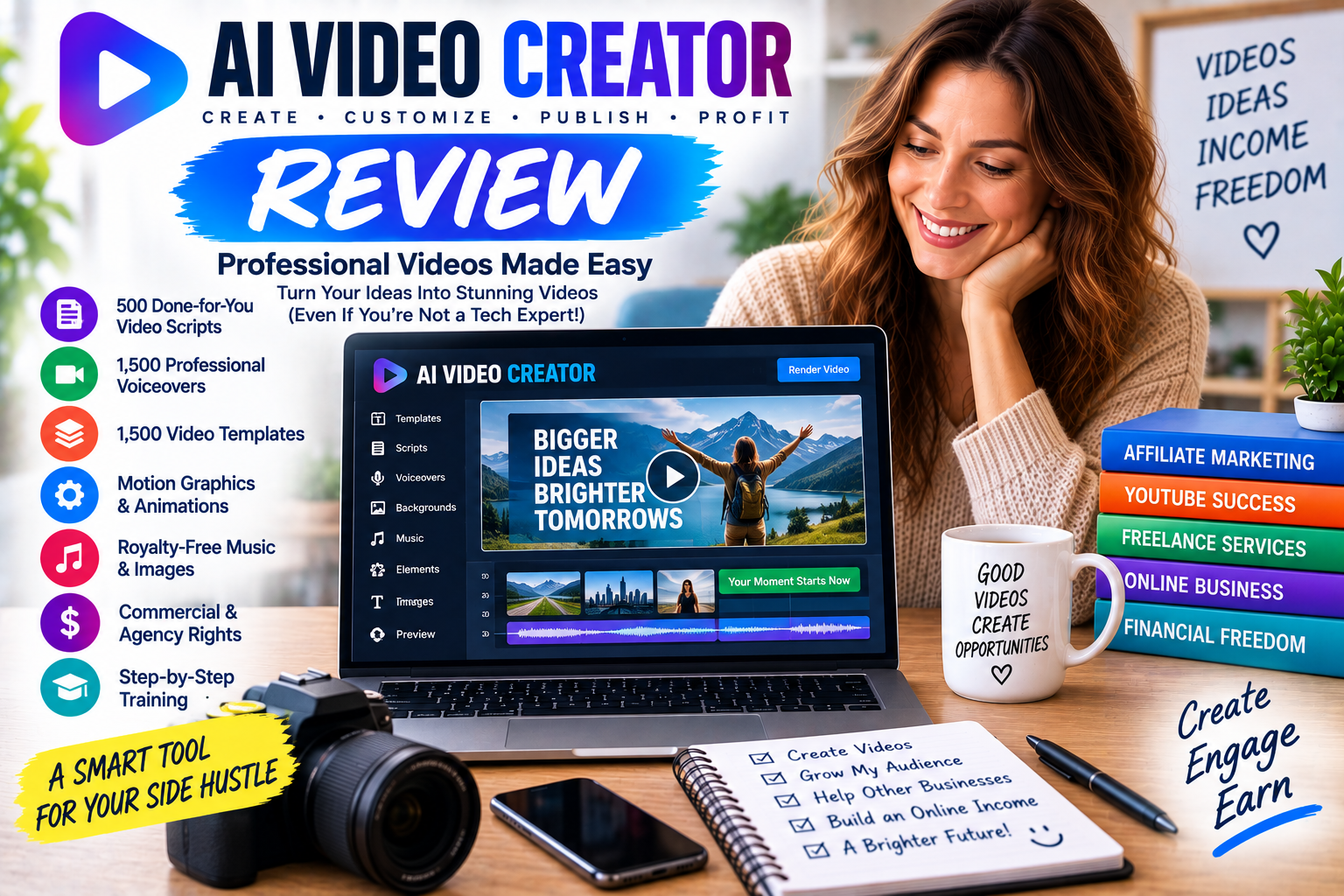
AI Video Creator is a downloadable video creation software package designed to help users produce promotional videos using ready-made templates, scripts, recorded voiceovers and motion graphics.
It also includes commercial and agency rights, making it particularly interesting for people exploring work-from-home side hustles.
But is AI Video Creator worth considering? How does it work, what do you actually receive, and could you use it to build an online video creation business?
Let’s take a closer look.
Disclosure: I haven’t personally purchased or tested AI Video Creator. This review is based on the official product information, so the advertised capabilities should be distinguished from independently verified performance.
What Is AI Video Creator?
AI Video Creator is a downloadable video-making software package designed for Windows PCs and Apple Macs.
The product focuses on helping users create promotional videos without having to produce every element themselves.
According to the official website, the package includes:
- A four-in-one video creation toolkit.
- 1,500 done-for-you templates and associated assets.
- 15 niche and marketing-method template packs.
- 500 prewritten script and slide templates.
- 1,500 prerecorded professional voiceovers.
- 23 motion graphics animations.
- Nine royalty-free music tracks.
- 11 background images.
- 12 fonts.
- Unlimited video rendering.
- Commercial and agency rights.
- Video training and customer support.
The software is promoted for affiliate marketers, YouTubers, eCommerce businesses and people who want to create videos for clients.
One important distinction: despite its name, the advertised system is primarily a template-driven video editor with prerecorded human voiceovers. The sales page doesn’t establish that it offers modern generative AI features such as text-to-video generation.
That doesn’t necessarily make it unsuitable for video creation, but it’s worth understanding exactly what you’re buying.
How Does AI Video Creator Work?
AI Video Creator promotes a simplified process for creating marketing videos.
Although the sales page refers to four simple steps, its detailed walkthrough describes five stages.
Step 1: Customise Your Video
You begin by selecting the basic appearance of your video.
The software advertises several customisation options, including:
- Nine royalty-free backing tracks.
- Eleven background images.
- Twelve fonts.
These allow you to change the overall look and feel of your project before adding the main content.
For example, a fitness video might use energetic music, while a business presentation might benefit from a more understated style.
Step 2: Choose a Template Pack
Next, you select a template pack related to your chosen niche or marketing objective.
AI Video Creator advertises 15 packs covering subjects such as affiliate marketing, eCommerce, local marketing, app marketing, website traffic and list building.
There’s also a generic pack containing 43 slides.
This is useful because you don’t necessarily need to begin with a blank video project.
Instead, you can choose a starting point that matches the type of promotion you want to create.
Step 3: Select Your Script
The software includes 500 prewritten script and slide templates.
These are organised around different sections of a promotional video, including introductions, middle sections and closing messages.
You can select suitable lines and combine them into a video script.
This could potentially save time if you’re unfamiliar with video copywriting.
However, I would strongly recommend editing any supplied scripts to ensure they’re accurate, relevant and appropriate for the product you’re promoting.
Step 4: Add Professional Voiceovers
One of the product’s more distinctive features is its collection of prerecorded human voiceovers.
The sales page advertises 1,500 recordings produced by a professional UK voiceover artist.
It explains that the recordings correspond to the 500 prewritten script lines, with three recordings available for each line.
This means you can select an existing recording rather than recording your own narration.
That’s potentially useful if you’re uncomfortable speaking on camera or don’t have access to recording equipment.
However, because the voiceovers are prerecorded, they may not provide the same flexibility as recording completely original narration.
Step 5: Edit and Render Your Video
Finally, you can customise the finished presentation.
The software advertises the ability to:
- Edit slide text.
- Import images.
- Import video clips.
- Choose motion graphics animations.
- Rearrange slides.
- Change text colours.
- Change background colours.
Once your video is complete, you can render it and upload it to platforms such as YouTube, Facebook or your own website.
AI Video Creator Key Features
Let’s examine the main features in more detail.
1. Four-in-One Video Creation Software
The official website describes AI Video Creator as a four-in-one software toolkit.
Its advertised workflow brings together templates, scripts, voiceovers and editing functionality.
The main benefit is convenience.
Instead of separately sourcing scripts, narration, graphics and editing software, you have several production resources in one package.
For beginners, that could simplify the process of creating promotional videos.
However, the sales page doesn’t clearly establish the software’s current technical specifications or compatibility with the latest operating systems.
I’d recommend confirming these details before purchasing.
2. 1,500 Done-for-You Templates
The website prominently advertises 1,500 done-for-you templates.
These resources are designed to accelerate video creation by supplying ready-made material.
However, the sales page also describes the 1,500 resources as a combination of templates, animations, scripts, voiceovers and niche-related assets.
I wouldn’t assume that means 1,500 completely separate, fully editable video projects.
The exact composition of the template library is worth confirming if it’s your main reason for buying.
Why are templates useful?
Templates can reduce the time spent planning and formatting a video.
You can start with an existing structure, change the content and adapt the design.
This could be particularly helpful when producing several similar promotional videos.
3. 500 Done-for-You Scripts
Writing effective promotional copy can be challenging.
You need to capture attention, explain the benefits of a product and give viewers a reason to take the next step.
AI Video Creator includes 500 prewritten script and slide lines intended to simplify this process.
The templates could provide a useful starting point for:
- Affiliate product promotions.
- Online business advertisements.
- eCommerce videos.
- Lead-generation campaigns.
- Website promotions.
However, the supplied scripts shouldn’t automatically be treated as proven to convert for your particular audience.
A script that works for one product may perform poorly for another.
The best approach is to customise the copy, ensure all claims are accurate and test the results.
4. Professional Human Voiceovers
AI Video Creator advertises 1,500 prerecorded professional voiceovers.
Unlike software that generates speech from typed text, these recordings were created by a human voiceover artist.
This could be attractive if you want a natural-sounding presentation without recording narration yourself.
The limitation
The voiceovers are tied to the supplied script lines.
If you want completely original narration, you may need to investigate whether the software supports importing your own audio or use another recording tool.
The official sales page doesn’t clearly document every audio-editing capability.
5. Motion Graphics and Animation
The software includes 23 motion graphics animations for images, video and text.
Motion graphics can help make a presentation more engaging.
For example, animated headlines can highlight an important benefit, while moving graphics can draw attention to a product or call to action.
You don’t necessarily need elaborate animation to create an effective video.
Simple, consistent movement can often be enough.
6. Unlimited Video Creation
The official website advertises unlimited video renders.
It also states that users can create videos without paying royalties to the software provider for each render.
This could be useful if you plan to produce videos regularly.
For example, you might create:
- Multiple affiliate product reviews.
- Promotional videos for different businesses.
- Videos for several online stores.
- Different versions of a marketing campaign.
However, unlimited rendering doesn’t automatically mean unlimited access to every third-party asset or platform.
Always check the applicable licensing terms.
7. Commercial and Agency Rights
This is arguably the most interesting feature for side hustlers.
AI Video Creator advertises full commercial and agency rights.
According to the website, users can create videos for clients and charge businesses for the finished work.
That potentially allows you to use the software for more than your own marketing.
You could offer video creation as a freelance service.
For example:
Client Provides Business Details → You Create Promotional Video → Client Reviews Video → You Deliver Finished Project
The software provides the production tools.
Your job is to turn them into a useful service.
Remember that commercial rights don’t guarantee clients or income, and you should confirm the exact licence terms for any supplied or imported assets.
What Types of Videos Can You Create?
AI Video Creator promotes several video marketing applications.
Affiliate Marketing Videos
Affiliate marketers can create videos introducing products, explaining features or presenting comparisons.
These videos could be published on YouTube, embedded in blog posts or used on appropriate landing pages.
For example, you might create a video explaining how a particular website-building tool works.
You could then direct viewers to a detailed written review containing an appropriately disclosed affiliate link.
The video helps communicate the information, while the website provides additional context.
YouTube Marketing Videos
YouTube can be a valuable source of traffic for online businesses.
AI Video Creator could potentially help users create promotional presentations without appearing on camera.
However, building a successful YouTube channel requires more than producing videos.
You’ll still need:
- Useful topics.
- Accurate information.
- Engaging presentation.
- Appropriate titles and thumbnails.
- Consistent publishing.
- Audience research.
You should also check YouTube’s current policies concerning reused content, copyright and monetisation.
Using ready-made templates doesn’t automatically make a video eligible for advertising revenue.
Facebook Video Marketing
The software advertises support for creating videos that can be uploaded to Facebook.
These could be used to promote:
- Local businesses.
- Products.
- Services.
- Online stores.
- Website content.
Video can be useful for communicating a message quickly.
However, successful Facebook marketing still depends on reaching the right audience.
Creating a video doesn’t automatically generate visitors or sales.
eCommerce Product Videos
Online stores often use video to demonstrate products and explain their benefits.
For example, an eCommerce business might create a short promotional video highlighting a product’s main features.
AI Video Creator could potentially help produce presentation-style advertisements using images, text, animation and narration.
If you’re promoting a physical product, use accurate images and avoid suggesting the video demonstrates a product feature that hasn’t been verified.
Local Business Marketing Videos
Local businesses are another potential audience.
Examples include:
- Hairdressers.
- Restaurants.
- Fitness instructors.
- Cleaning companies.
- Gardeners.
- Tradespeople.
- Independent retailers.
Many small businesses need promotional content but don’t necessarily have an in-house video production team.
This creates a potential opportunity for freelance video creators.
Video Sales Letters
A Video Sales Letter, often abbreviated to VSL, is a video designed to explain and promote an offer.
These typically combine persuasive copy, narration and visuals.
AI Video Creator’s script templates, voiceovers and motion graphics are particularly relevant to this type of content.
However, effective sales videos still need accurate claims and a genuinely useful product.
A polished video cannot compensate for a misleading offer.
Can You Make Money With AI Video Creator?
Potentially, but the software doesn’t generate income by itself.
It’s a production tool.
The commercial rights and marketing features provide several possible ways to use it within an online business.
Let’s explore the most practical opportunities.
Side Hustle Idea 1: Create Promotional Videos for Small Businesses
This is one of the most direct ways to use AI Video Creator.
Many small businesses need videos for their websites and social media accounts.
You could offer a simple service:
Affordable Promotional Video Creation
Your process might involve:
- Discussing the client’s requirements.
- Gathering approved business information and images.
- Selecting a suitable template.
- Creating the script.
- Adding narration and graphics.
- Delivering the finished video.
- Making agreed revisions.
The advantage is that you’re selling a service rather than relying on affiliate commissions.
However, you’ll still need to find customers, agree on pricing and deliver work that meets their expectations.
Side Hustle Idea 2: Offer Affiliate Video Creation
Affiliate marketers often need promotional content.
You could potentially offer to create video advertisements or product presentation videos for other marketers.
For example, a client might provide product details, approved promotional material and a script.
You could use AI Video Creator to turn those resources into a finished presentation.
Be careful with claims about product performance, customer testimonials and earnings.
You should only include information that can be substantiated.
Side Hustle Idea 3: Create Videos for Your Own Affiliate Website
If you already run an affiliate marketing blog, video could become an additional content format.
For example, suppose your website reviews online business software.
You could create a short video summarising each review.
The video might cover:
- What the software does.
- Its main features.
- Who it’s designed for.
- Potential advantages.
- Important limitations.
You could then embed the video in your article.
This creates another way for visitors to engage with your content.
The important thing is to add genuine information rather than simply reproducing generic promotional scripts.
Side Hustle Idea 4: Build a Video Creation Freelance Business
The commercial and agency rights make AI Video Creator potentially suitable for a small freelance operation.
You could offer several services:
Basic Video Package: A short promotional presentation.
Product Video Package: A video highlighting a specific product.
Social Media Package: Several videos for a business’s social channels.
Website Video Package: A presentation designed for a homepage or landing page.
These are examples of services you could develop, not packages supplied by AI Video Creator.
Your pricing would depend on the amount of customisation, research, editing and revision work involved.
Side Hustle Idea 5: Create Video Content for Digital Products
Digital product sellers frequently need promotional materials.
Someone selling an eBook might want a short video explaining what the guide contains.
An online course creator might need a course introduction.
A software developer might need a product presentation.
AI Video Creator could potentially help produce these types of videos.
This could also complement other online business activities, including affiliate marketing, digital publishing and selling downloadable products.
How Would You Find Video Creation Clients?
Having commercial rights is useful, but you still need customers.
Potential approaches include:
Freelance Platforms
You could investigate marketplaces where businesses advertise video editing and promotional content projects.
Connect with business owners, consultants, marketers and agencies that may need video content.
Your Own Website
Create a simple portfolio showing examples of your work.
Social Media
Share examples of your videos and explain the services you provide.
Direct Outreach
Identify businesses that could benefit from clearer promotional videos and contact them with a relevant proposal.
Avoid mass spam or making claims about results you cannot demonstrate.
How to Build a Video Creation Portfolio
Before charging clients, I’d recommend creating several sample videos.
For example:
Sample 1: A promotional video for a fictional local business.
Sample 2: A product presentation using a product you have permission to feature.
Sample 3: A short informational video explaining a topic you understand.
Sample 4: A video introducing a digital product.
These samples could demonstrate your editing, scripting and presentation skills.
Make it clear when a project is a demonstration rather than commissioned client work.
A portfolio gives potential customers something concrete to evaluate.
Is AI Video Creator Beginner Friendly?
The official website promotes the software as beginner friendly and includes video training.
The template-driven approach could simplify production for people who don’t have experience with professional editing applications.
However, I’d distinguish between two things:
Learning the software and learning how to create effective videos.
Even if the interface is easy to use, you still need to understand:
- Video structure.
- Scriptwriting.
- Readable typography.
- Appropriate pacing.
- Audio quality.
- Audience expectations.
- Calls to action.
Those skills become especially important if you’re producing videos for paying clients.
Does AI Video Creator Really Use Artificial Intelligence?
This is an important question.
The sales page describes the product as AI-powered software, but the detailed feature descriptions focus on prewritten scripts, prerecorded voiceovers, templates and motion graphics.
It doesn’t clearly document contemporary generative AI capabilities such as:
- Generating original video footage from a text prompt.
- Creating entirely new spoken narration from arbitrary text.
- Generating custom images.
- Automatically editing uploaded footage using natural-language instructions.
Based on the documented features, I would primarily describe AI Video Creator as a template-based video creation system.
If you’re specifically looking for modern text-to-video AI generation, confirm the software’s current capabilities before purchasing.
AI Video Creator vs Modern AI Video Generators
Modern AI video tools can offer features such as automatically generating scenes, synthesising voices and creating video from text prompts.
AI Video Creator’s advertised approach is different.
It relies heavily on existing templates, scripts and prerecorded assets.
That could be useful if you want a structured promotional-video workflow.
However, it may offer less creative flexibility than software designed around generating completely original content.
The best option depends on whether you want to assemble marketing videos quickly or generate entirely new footage.
How Much Does AI Video Creator Cost?
The requested sales page currently advertises $17 as a one-time payment.
However, the main AI Video Creator website displays a $27 one-time offer.
Both pages advertise unlimited video creation and a 60-day money-back guarantee.
Because the pricing differs between official pages, you should check the actual ClickBank checkout before purchasing.
The main website also mentions an additional optional product.
Don’t assume every upgrade or additional package is included in the advertised front-end price.
Does AI Video Creator Have a Money-Back Guarantee?
The official website advertises a 60-day money-back guarantee.
It states that customers can request a refund if they’re dissatisfied with the software.
ClickBank is identified as the retailer.
As with any digital product, check the current checkout terms and refund conditions before purchasing.
Is AI Video Creator Still Relevant?
This is where I’d exercise particular caution.
The sales page explicitly dates the product’s launch to 2018.
Although the page remains accessible, I couldn’t independently confirm its current development status, recent software updates or compatibility with the latest Windows and macOS versions.
That matters because downloadable software can become outdated.
Operating systems change.
Video platforms introduce new requirements.
Older software may depend on components that are no longer supported.
Before purchasing, I’d recommend confirming:
- Compatibility with your current operating system.
- Whether the software is actively maintained.
- Available export formats and resolutions.
- Whether customer support is still operating.
- Whether the advertised templates and assets remain accessible.
A low purchase price isn’t particularly useful if the software doesn’t run properly on your computer.
Can AI Video Creator Generate Passive Income?
Not directly.
It doesn’t automatically provide an audience, customers or sales.
However, videos could potentially support an online business that generates revenue over time.
For example:
Create Video → Publish on YouTube → Attract Interested Viewers → Refer Visitors to Affiliate Offer → Potentially Earn Commission
Once published, a video could continue attracting viewers.
But you’ll still need to create useful content, optimise your presentation, comply with platform rules and maintain your business.
Freelance video creation is even more clearly an active-income model.
You’re paid for completing work for clients.
Advantages of AI Video Creator
Ready-Made Production Resources
Templates, scripts and voiceovers could reduce the time required to assemble promotional videos.
No Need to Record Every Voiceover
The included human recordings may be useful for people uncomfortable recording narration.
Commercial Rights
The advertised licence allows users to create videos for clients.
Unlimited Rendering
The website advertises no per-video rendering fees.
Multiple Marketing Applications
The software is promoted for affiliate marketing, YouTube, Facebook, eCommerce and local businesses.
One-Time Pricing
Both official offers describe a one-time purchase rather than a recurring subscription.
Training Included
Video tutorials are advertised as part of the package.
Things to Consider Before Buying
The Product Dates Back to 2018
Current operating-system compatibility and development status need confirmation.
AI Capabilities Are Not Clearly Documented
The described features are primarily template-based rather than modern generative AI.
Prerecorded Voiceovers Have Limitations
They may not suit completely original scripts.
Templates Can Look Similar
Customisation is important if you want distinctive videos.
Income Claims Are Promotional
The website includes examples of substantial earnings, but its disclaimer states that income isn’t guaranteed.
You’ll Still Need Marketing Skills
Video creation alone doesn’t generate traffic, clients or sales.
AI Video Creator Pros and Cons
| Pros | Cons |
|---|---|
| Downloadable PC and Mac software advertised | Current compatibility isn’t independently verified |
| 15 niche template packs | Product dates back to 2018 |
| 500 script and slide templates | Scripts require checking and customisation |
| 1,500 prerecorded voiceovers | Limited flexibility compared with custom narration |
| 23 motion graphics animations | Modern generative AI features aren’t established |
| Unlimited video rendering advertised | Video creation doesn’t guarantee traffic |
| Commercial and agency rights | Finding clients is your responsibility |
| Video training included | Current support status needs confirmation |
| One-time purchase advertised | Different official pages show different prices |
| 60-day refund guarantee advertised | Software performance hasn’t been independently tested |
Who Is AI Video Creator Best For?
Based on its advertised features, AI Video Creator could potentially appeal to:
- Affiliate marketers.
- YouTubers.
- Bloggers.
- eCommerce entrepreneurs.
- Freelance video creators.
- Local marketing agencies.
- Small-business owners.
- Digital product sellers.
- People exploring online side hustles.
- Beginners interested in template-based video creation.
It may be less suitable for experienced editors who require advanced production controls or users specifically looking for modern generative AI video technology.
Is AI Video Creator Legit?
AI Video Creator has an identifiable sales page describing a downloadable software package, its included resources, commercial rights and refund policy.
The business applications it promotes are also legitimate.
Businesses use promotional videos, affiliate marketers create video content and freelancers sell video production services.
However, that doesn’t independently establish that every advertised feature works as described today.
The age of the product and the absence of independently verified current testing are important limitations.
I would also avoid interpreting the sales page’s references to expensive videos or large earnings as proof that users will achieve comparable results.
The website’s own earnings disclaimer says there are no guarantees.
Is AI Video Creator Worth It?
The answer depends on what you need.
If you’re looking for an inexpensive, template-driven way to assemble promotional videos, the advertised package contains several potentially useful resources.
The commercial rights also create an opportunity to use the software for freelance projects.
However, the product’s age introduces uncertainty.
Before spending money, I’d want confirmation that the software runs on my computer and that its export capabilities meet modern video requirements.
I’d also want to know whether the included templates and voiceovers are flexible enough for the videos I intend to produce.
The one-time price is relatively low, but functionality matters more than the size of the advertised discount.
AI Video Creator Review: Final Verdict
AI Video Creator is a template-based promotional video toolkit designed to simplify video production for marketers, entrepreneurs and freelancers.
Its main selling points are the prewritten scripts, prerecorded human voiceovers, motion graphics, niche templates and unlimited rendering.
From a side-hustle perspective, the commercial and agency rights are particularly interesting.
They could allow you to create promotional videos for small businesses, affiliate marketers and digital product sellers.
However, I would approach the product with realistic expectations.
It doesn’t automatically generate customers, affiliate commissions or passive income.
Its advertised AI functionality also appears more limited than that of modern generative AI video platforms.
Most importantly, the product’s sales material dates back to 2018, and current compatibility hasn’t been independently established.
Bottom line: AI Video Creator could provide a low-cost introduction to template-based video production and potentially support a freelance video creation side hustle. Confirm its current functionality and compatibility before purchasing, and treat the software as a production tool rather than an automated income system.
👉 To learn more please click here to visit the product website.
Leave a Reply
You must be logged in to post a comment.