Creating an eBook sounds simple until you actually try to make one.
You need the content, formatting, fonts, images, page layouts, cover design, table of contents and final presentation to work together. If you’re producing an eBook for a client, it needs to look professional too.
That’s where Sqribble comes in.
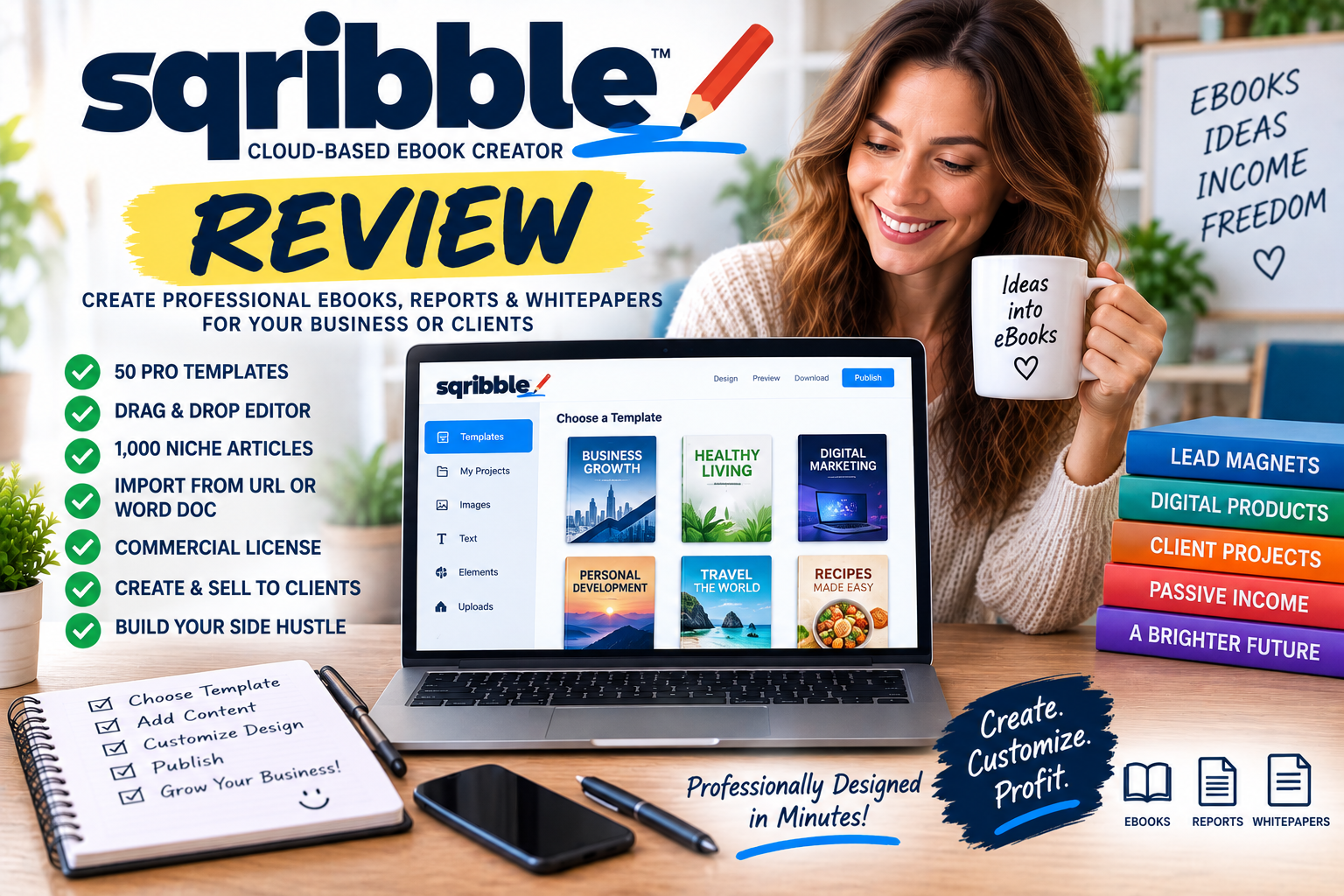
Sqribble is a cloud-based eBook creator designed to make it easier to create professional-looking eBooks, reports and whitepapers without needing advanced graphic-design skills.
But there’s another side to Sqribble that makes it particularly interesting for people interested in side hustles and working from home.
Sqribble currently includes a commercial licence that allows users to create eBooks for clients and charge for the service.
That potentially turns Sqribble from a simple eBook-design tool into something you could use to build a small freelance eBook design business.
So, is Sqribble worth considering?
In this Sqribble review, I’ll explain what the software does, how its eBook creation system works, what its main features are and several ways you could potentially use Sqribble as part of an online side hustle.
Important disclosure: This review is based on information currently published on the official Sqribble website.
What Is Sqribble?
Sqribble is an online, cloud-based eBook creation software designed to help users create professional eBooks, reports and whitepapers.
Instead of manually designing every page, you can begin with one of Sqribble’s existing templates and customise it using the built-in editor.
The official website currently advertises:
- 50 eBook templates
- 15 niche categories
- Drag-and-drop editing
- Automatic content options
- URL content importing
- Word document importing
- 1,000 built-in niche articles
- Professional page layouts
- Commercial licence
- Agency website
- Client management tools
- Client feedback system
- Training
Because Sqribble is cloud based, the website says there is no software installation required.
That could make it particularly convenient if you want to create eBooks without learning complicated desktop publishing software.
How Does Sqribble Work?
Sqribble describes its core eBook creation process in three main steps.
Step 1 – Choose an eBook Template
You begin by choosing a template.
Sqribble currently advertises 50 templates across 15 niche categories.
These aren’t simply blank pages.
The templates include elements such as professional page layouts and tables of contents, giving you a starting structure for your eBook.
This could be particularly useful for beginners who know what they want their eBook to say but aren’t confident designing it.
Step 2 – Add Your Content
Next, you need something to put inside the eBook.
Sqribble offers several ways of doing this.
Import Content From a URL
You can enter a URL and have Sqribble import content into the eBook.
This could be particularly useful if you’re repurposing content from a website or blog that you own or have permission to use.
Use Built-In Articles
Sqribble currently advertises a library of 1,000 niche articles through its content engine.
These can potentially provide another starting point for creating an eBook.
As with any supplied or third-party content, I’d recommend checking usage rights, accuracy, originality and freshness before publishing it.
Upload a Word Document
Already written your eBook in Microsoft Word?
Sqribble says you can upload the Word file and have the software extract the content into your eBook.
This could save considerable formatting time.
Write Your Own Content
You can also simply write your content yourself.
Copy and Paste Content
Existing content can be copied and pasted directly into your project where you have the right to use it.
That gives you several ways to get from raw content to a formatted eBook.
Step 3 – Customise and Publish Your eBook
Once your content is in place, you can customise the design.
Sqribble’s editor allows users to work with elements including:
- Pages
- Headlines
- Images
- Paragraphs
- Text blocks
- Dividers
- Buttons
- Links
- Features
- Bullet lists
- Calls to action
You can also choose colour themes and modify the overall appearance.
This is where Sqribble potentially saves considerable time compared with manually formatting every page.
What Can You Create With Sqribble?
Despite the name, Sqribble isn’t restricted entirely to conventional eBooks.
The official website specifically promotes the creation of:
eBooks
This is the obvious use.
You could create informational eBooks for your own business or for clients.
Reports
Short reports can work particularly well as lead magnets, bonuses and educational resources.
Whitepapers
Businesses frequently use whitepapers to explain complicated topics, demonstrate expertise and generate leads.
Lead Magnets
A professionally designed PDF can be offered to website visitors in exchange for joining an email list.
Client Documents
Freelancers could potentially use Sqribble to transform a client’s raw written content into a professionally designed downloadable resource.
Sqribble Templates
One of Sqribble’s major selling points is its template library.
The current product page advertises 50 designs in 15 popular niche categories.
Templates can save considerable time because you don’t need to decide where every headline, image and text box should go.
You choose an existing design and adapt it.
For someone who isn’t a professional designer, that’s potentially a much easier workflow than staring at a completely blank page.
Sqribble Drag-and-Drop Editor
Sqribble describes its interface as a drag-and-drop eBook design studio.
That’s significant for beginners.
Professional publishing applications can be powerful, but they can also have a substantial learning curve.
Sqribble aims to make the process more visual.
Rather than becoming a graphic designer before you can create your first eBook, you’re working with predefined layouts and editable elements.
That could make it considerably more accessible to bloggers, marketers and side hustlers.
Do You Need Photoshop to Use Sqribble?
According to the official website, no.
Sqribble specifically promotes itself as an alternative to needing Photoshop or other expensive design software for eBook creation.
Because the software operates online, there’s also no installation required.
That potentially lowers both the technical and financial barriers for beginners.
Sqribble Instant Content
The Instant Content functionality is another major feature promoted by Sqribble.
Instead of requiring every project to begin with a blank document, you can potentially populate an eBook using:
- A URL
- Built-in niche articles
- A Word document
- Your own writing
- Copied and pasted content
I wouldn’t interpret this as meaning you should publish whatever the software imports without checking it.
Quality still matters.
Fact-check information, update old material, correct formatting problems and make sure you have permission to use anything you didn’t personally create.
Automation can accelerate content production.
It doesn’t eliminate your responsibility for the finished product.
Can Sqribble Help With Affiliate Marketing?
Potentially, yes.
One popular use for eBooks is affiliate marketing.
For example, imagine you operate a website about home fitness.
You could create a free guide:
“The Beginner’s Guide to Building a Home Gym”
Inside that guide, you could potentially recommend relevant equipment using appropriately disclosed affiliate links where the affiliate programme and document format permit them.
You could then promote the guide through:
- Your blog
- Social media
- Email marketing
- YouTube
The eBook becomes part of a larger affiliate marketing funnel.
Sqribble’s role is primarily helping you create and present the document.
Using Sqribble to Build an Email List
This may be one of the most practical uses for Sqribble.
Email lists can be extremely valuable for online businesses because they allow you to communicate directly with people who have already shown interest in your subject.
The basic strategy is simple:
Create Useful eBook → Offer It Free → Visitor Enters Email → Deliver eBook → Build Relationship Through Email
The eBook is often called a lead magnet.
Examples could include:
- Beginner’s guides
- Checklists
- Resource guides
- Tutorials
- Industry reports
- Cheat sheets
- Mini handbooks
Sqribble could potentially make these resources look considerably more professional than a plain Word document.
Can You Make Money With Sqribble?
This is where Sqribble becomes particularly interesting from a side-hustle perspective.
The software itself doesn’t magically generate income.
However, you could potentially use the documents you create in several different business models.
Let’s look at some possibilities.
Side Hustle Idea 1 – Create eBooks for Clients
Sqribble currently includes a commercial licence.
According to the official website, this allows users to create unlimited eBooks, reports and whitepapers for clients and charge them for the service.
Sqribble says there are no royalties or annual commercial-licence fees and that users can set their own client rates.
That opens the door to a straightforward freelance business.
You could offer:
“I will professionally design and format your eBook.”
Your client supplies the raw content.
You use Sqribble to turn it into a polished document.
You then charge for the finished service.
Side Hustle Idea 2 – Start an eBook Design Agency
Sqribble goes further than simply providing commercial usage rights.
The current package also advertises an agency website designed to help users showcase their work and attract potential clients.
That means you could potentially create a small business specialising in:
- eBook design
- eBook formatting
- PDF design
- Report creation
- Whitepaper formatting
- Lead magnet creation
- Digital guide design
You don’t necessarily need dozens of clients.
A small number of regular clients could potentially make this a useful freelance side hustle.
Side Hustle Idea 3 – Sell Digital Products
Another possibility is creating your own digital products.
You could research a subject you understand, create original useful content, format it professionally with Sqribble and sell the finished eBook.
Potential niches could include:
- Fitness
- Personal development
- Hobbies
- Business
- Marketing
- Career development
- Productivity
- Education
- Crafts
- Travel
The difficult part isn’t simply creating the PDF.
You still need a useful product and people willing to buy it.
Side Hustle Idea 4 – Offer Lead Magnet Creation
Businesses need email subscribers.
That means they need something useful to encourage visitors to join their lists.
You could offer a service specifically creating lead magnets for businesses.
For example:
Client provides article or notes → You organise content → Design professional PDF → Deliver finished lead magnet
This could be easier to sell than simply advertising generic “eBook design.”
You’re helping solve a specific marketing problem.
Side Hustle Idea 5 – Create Reports and Whitepapers
Business clients often need something more professional than a traditional eBook.
A consultant might want an industry report.
A marketing company might need a downloadable whitepaper.
A coach might want a professionally formatted workbook.
A blogger might want a downloadable guide.
These are all potential services you could build around eBook and PDF design.
Sqribble Commercial Licence
For side hustlers, the commercial licence is one of the most important features.
The official sales page currently says the licence allows users to create unlimited eBooks, reports and whitepapers for clients.
It also says:
- You can charge clients
- You can set your own rates
- There are no royalties to Sqribble
- There are no annual commercial-licence fees
This doesn’t mean clients will automatically appear.
You still need to market your services.
But having explicit commercial rights is important if your goal is to use the software to make money from client work.
Sqribble Agency Website
Sqribble currently advertises an included agency website with a portfolio.
The idea is to provide somewhere you can promote your eBook creation services to potential customers.
This could be useful for beginners who don’t already have a website.
However, I’d still consider developing your own professional brand over time if your freelance business grows.
A strong independent website, portfolio, testimonials and client relationships can become valuable business assets.
Client Management Dashboard
Sqribble also advertises a Client Management Dashboard.
This allows users to add and manage clients and keep track of projects.
That may seem like a relatively small feature, but organisation becomes increasingly important once you have several clients.
You need to know:
- Who you’re working with
- What you’re creating
- What stage each project has reached
- Which revisions are outstanding
- Which projects have been completed
Having those details organised in one place can potentially simplify your workflow.
Sqribble Feedback Engine
Another interesting agency feature is the Feedback Engine.
Sqribble says users can generate a private link and send it to a client.
The client can then review the eBook and leave feedback on areas they’d like changed.
You make the requested changes and send the updated version.
That’s potentially useful because revisions are a normal part of freelance design work.
Instead of dealing with vague email messages such as:
“Could you change that thing somewhere around page 12?”
a structured feedback system can make the process considerably easier.
Where Could You Find eBook Design Clients?
Sqribble may provide tools for completing client projects, but you’ll still need to find customers.
Potential sources include:
Freelance Marketplaces
Businesses regularly advertise design and formatting projects through freelance platforms.
You could connect with coaches, consultants, marketers, authors and small-business owners.
Facebook Groups
Business and entrepreneur communities can sometimes produce leads, provided promotional posts are permitted.
Your Own Website
SEO could potentially attract people searching for eBook design and formatting services.
Direct Outreach
You could identify businesses already publishing useful blog content and offer to turn some of that content into downloadable guides.
Existing Business Contacts
Sometimes the easiest first client is somebody who already knows and trusts you.
Sqribble Training Center
Sqribble also advertises a Training Center containing step-by-step tutorials.
For beginners, this is important.
Having lots of features doesn’t help if you don’t understand how to use them.
The training is designed to help members learn the Sqribble suite and understand the software’s functionality.
If you’re planning to charge clients, I’d strongly recommend learning the software properly before selling your service.
Practice by creating several sample projects first.
Those projects can potentially become your initial portfolio.
How Much Does Sqribble Cost?
At the time of this review, the official sales page currently advertises Sqribble for $67, presented as a promotional price against a higher reference price.
Because software offers, bonuses and pricing can change, always check the current checkout page before purchasing.
I wouldn’t base the decision solely on the discount percentage displayed on a sales page.
Instead ask:
Will I actually use this software enough to justify the price?
If you create one eBook and never open Sqribble again, the value is limited.
If you regularly create lead magnets, client eBooks, reports and digital products, the calculation becomes very different.
Does Sqribble Have a Money-Back Guarantee?
The current Sqribble sales page advertises a 30-day satisfaction guarantee.
The website says customers who decide the software isn’t suitable can request a refund during the guarantee period, after which access to Sqribble is revoked.
As always, check the current purchase and refund terms when ordering.
Is Sqribble Beginner Friendly?
Based on the way the software is designed and marketed, beginners are clearly one of its primary audiences.
Features such as:
- Templates
- Drag-and-drop editing
- Automatic content importing
- Word document importing
- Built-in layouts
- Cloud-based access
- Training
are all intended to reduce the technical work involved in creating an eBook.
That doesn’t mean there’s zero learning curve.
You’ll still need to understand what makes a good eBook.
What Makes a Good eBook?
Software can make something look attractive.
It can’t automatically make the information valuable.
A good eBook still needs:
A Clear Purpose
What problem is the eBook solving?
Useful Information
Readers need a reason to continue reading.
Logical Structure
Use chapters and headings that naturally guide the reader.
Readable Design
Avoid cramming too much information onto each page.
Relevant Images
Visuals should support the content rather than simply filling space.
Strong Editing
Typos and grammatical errors can quickly make an eBook look amateurish.
A Clear Next Step
If the eBook supports a business, decide what you want readers to do afterwards.
That could be visiting your website, joining your email list, booking a consultation or viewing a relevant product.
Can Sqribble Create Passive Income?
Sqribble itself doesn’t generate passive income.
It’s a tool.
However, you could potentially use it to create digital assets capable of generating revenue over time.
For example:
Create eBook → Sell Through Website → Automate Payment → Automate Delivery
Once everything is set up, customers could potentially purchase the eBook without you manually processing each order.
But the initial work isn’t passive.
You still need to:
- Research the market
- Create useful content
- Design the product
- Build the sales page
- Generate traffic
- Market the product
- Support customers
Similarly, client work isn’t passive income at all.
It’s active freelance income.
Sqribble vs Hiring an eBook Designer
Hiring a professional designer can make sense when you need completely bespoke work.
However, it can also become expensive if you’re regularly creating downloadable resources.
Sqribble attempts to provide a middle ground.
Instead of paying someone every time you need an eBook, you can potentially create documents yourself using existing templates.
For a blogger or small-business owner producing several lead magnets per year, this could potentially reduce design costs.
For a freelancer, it could also help speed up client work.
Sqribble vs Creating eBooks Manually
You can certainly create eBooks without Sqribble.
Word processors, presentation software and other design tools can all produce PDFs.
The advantage Sqribble offers is a workflow specifically designed around eBooks, reports and whitepapers.
That could save time if those are the documents you create regularly.
The disadvantage is that you’re buying another specialised piece of software.
Whether that’s worthwhile depends on how frequently you’ll use it.
Advantages of Sqribble
Easy-to-Use Design Approach
Templates and drag-and-drop editing reduce the need for advanced design skills.
50 Templates
The current package includes 50 templates across 15 niches.
Multiple Content Options
You can use URLs, Word documents, built-in articles or your own content.
Cloud Based
No software installation is required.
Commercial Licence
This is particularly valuable for side hustlers who want to offer eBook design services.
Agency Website
The included agency website could help beginners establish an initial online presence.
Client Management Tools
The dashboard can help organise freelance projects.
Feedback System
Client comments and revisions can be handled through the Feedback Engine.
Training Included
Beginners have access to tutorials explaining the software.
Things to Consider Before Buying Sqribble
Sqribble Doesn’t Guarantee Income
Commercial rights give you permission to sell your services.
They don’t guarantee customers.
Templates Still Need Customisation
If everybody uses the same designs without changing them, finished eBooks may begin looking similar.
Content Quality Still Matters
Automated content importing isn’t a substitute for useful, accurate writing.
You Need Marketing Skills
If you’re starting an eBook design side hustle, you’ll need to find clients.
There Are Other eBook Creation Tools
Sqribble isn’t the only way to create professional digital documents, so consider your individual workflow and requirements.
Sqribble Pros and Cons
Pros
- Cloud-based eBook creator
- No installation required
- Designed for beginners
- Drag-and-drop interface
- 50 templates
- 15 niche categories
- Create eBooks
- Create reports
- Create whitepapers
- Import content from URLs
- Import Word documents
- Built-in niche content
- Customisable layouts
- Commercial licence
- Unlimited client eBook creation advertised
- No Sqribble royalties on client work
- Agency website included
- Client Management Dashboard
- Client Feedback Engine
- Training Center
- 30-day guarantee advertised
- Strong potential for freelance side-hustle use
Cons
- Doesn’t automatically create a profitable business
- Client acquisition is still your responsibility
- Built-in or imported content should be carefully checked
- Templates may require customisation to stand out
- Some marketing claims on the sales page are very enthusiastic
- Professional bespoke designers may offer greater creative flexibility
- You still need good content
- Other eBook design alternatives exist
Who Is Sqribble Best For?
Sqribble could be particularly useful for:
- Bloggers
- Affiliate marketers
- Freelancers
- Digital marketers
- Coaches
- Consultants
- Small-business owners
- eBook creators
- Content marketers
- Email marketers
- Online entrepreneurs
- People selling digital products
- People looking for a work-from-home side hustle
It’s particularly interesting for anyone searching for terms such as:
- Sqribble
- eBook creator
- eBook creation software
- eBook design
- eBook templates
- create eBooks
- professional eBooks
- eBook design software
- digital info product
- reports and whitepapers
- commercial license
- eBook creation services
- digital agency
- lead magnets
Is Sqribble Legit?
Sqribble is a real cloud-based software product offering eBook design and content-formatting functionality.
The current official sales page provides detailed explanations and demonstrations of its templates, content options, editing system, commercial licence, agency tools and training.
The underlying use cases are also perfectly legitimate.
Businesses genuinely need eBooks, reports, lead magnets, whitepapers and professionally formatted PDFs.
Where I’d exercise more caution is around the stronger marketing claims suggesting how quickly documents can be produced or how easily money can be made from client work.
Software can speed up the production process.
It can’t guarantee the quality of the finished product, clients or earnings.
Is Sqribble Worth It?
I think the answer largely depends on why you want it.
If you occasionally create one simple PDF every couple of years, a dedicated eBook creator may be unnecessary.
But if you’re regularly producing:
- eBooks
- Lead magnets
- Reports
- Whitepapers
- Client PDFs
- Digital products
then a specialised workflow could potentially save considerable time.
The commercial licence also changes the value proposition.
Instead of thinking:
“I’m buying software to make my own eBook.”
you could think:
“I’m buying a tool I can potentially use to provide a service to clients.”
That makes Sqribble considerably more interesting from a side-hustle perspective.
Sqribble Review – Final Verdict
Sqribble is an interesting eBook creation platform for people who want to produce professional-looking digital documents without becoming professional graphic designers first.
The combination of 50 templates, drag-and-drop editing, multiple content-import options, cloud-based access and training makes it particularly approachable for beginners.
But the feature I find most interesting from a side-hustle perspective is the commercial licence.
Being able to create eBooks, reports and whitepapers for clients gives Sqribble a potential use beyond simply creating your own digital products.
You could potentially build a freelance service around:
eBook Design + PDF Formatting + Lead Magnets + Reports + Whitepapers
Add the agency website, client-management dashboard and feedback tools, and Sqribble begins to look less like a simple eBook maker and more like a toolkit for providing a digital service.
Just remember that the software is the tool—not the business.
You’ll still need to learn how to create good-looking documents, develop a portfolio, attract clients and deliver work people are happy to pay for.
Overall Rating: 4.5 out of 5
Best for: Bloggers, marketers, freelancers and side hustlers who regularly need professional eBooks, reports, lead magnets or whitepapers.
Potentially less useful for: People who rarely create PDFs or experienced designers who prefer completely bespoke professional design software.
Bottom line: Sqribble could be particularly valuable when you use it not only to create your own eBooks, but as a tool for offering eBook creation and design services as an online side hustle.
👉 To learn more please click here to visit the product website.
Leave a Reply
You must be logged in to post a comment.